 1 / 4
About this app
Introduction
In the world of architectural design and building information modeling, efficiency and accuracy are paramount. Autodesk® Revit® users often find themselves toggling between 2D plan views and 3D perspectives, a process that can be tedious and time-consuming. This is where ClickTo3D comes into play. This innovative Revit plugin is designed to streamline navigation, allowing users to jump directly from 2D plans to their corresponding 3D views with ease. In this review, we will explore the features, benefits, and overall impact of ClickTo3D on the Revit workflow, highlighting why it is a must-try tool for professionals in the industry.
(Image by: ClickTo3D)
Seamless Navigation at Your Fingertips
ClickTo3D revolutionizes the way users interact with Revit by simplifying the transition between 2D and 3D views. Traditionally, navigating from a 2D plan to a 3D perspective involves multiple steps: opening a 3D view, locating the desired area, zooming in, and adjusting the view to your liking. This process can become particularly cumbersome when dealing with large or complex models. However, with ClickTo3D, the entire experience is transformed into a few swift clicks.
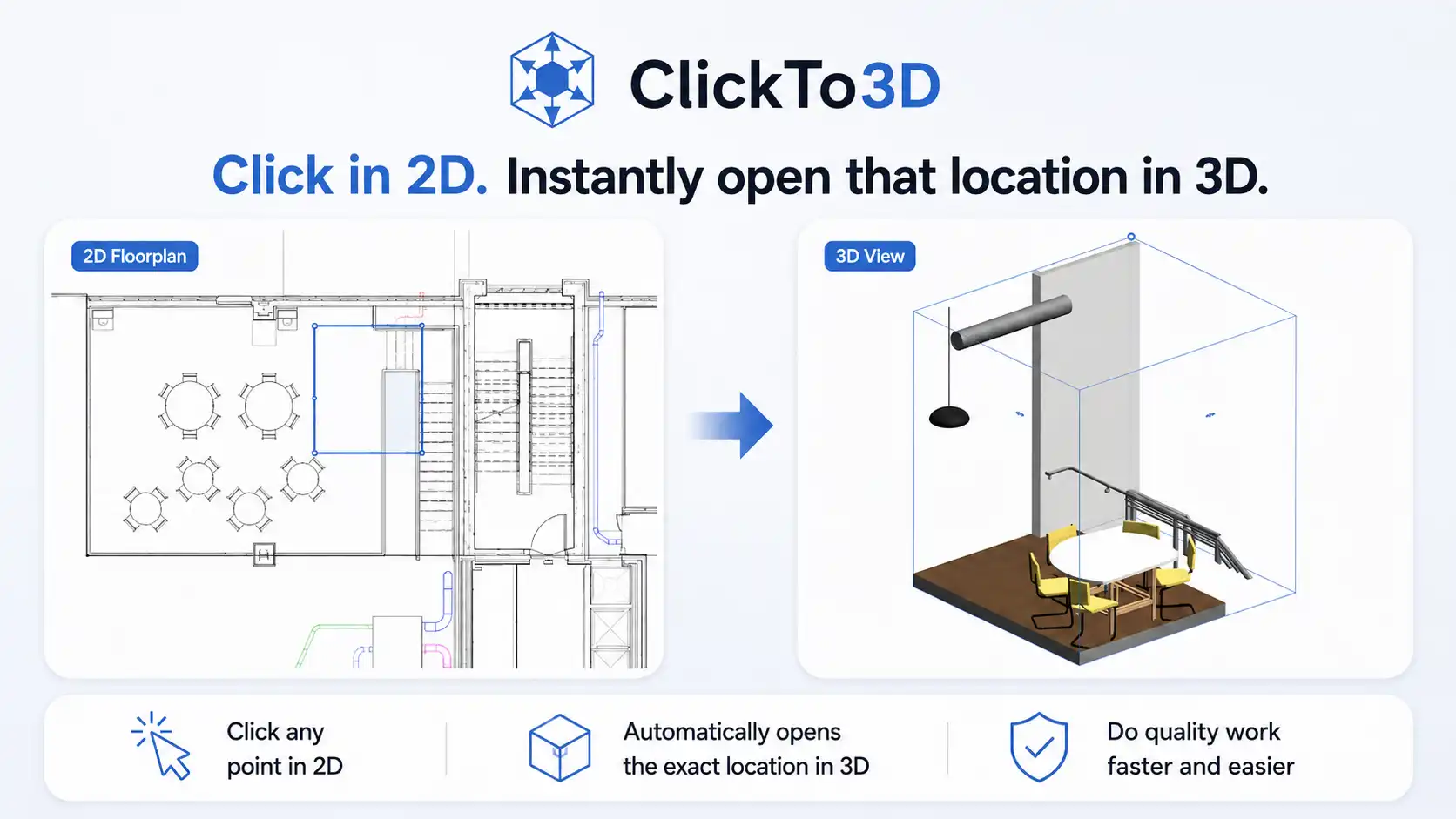
Upon running ClickTo3D, users can click anywhere on their 2D plan view, and the app will instantly generate a focused 3D view centered on that location. The plugin automatically creates a 3D viewing box based on dimensions that you have predefined in the settings, eliminating the need for repetitive adjustments. This feature is especially beneficial for professionals working on intricate architectural designs, mechanical systems, or coordination issues, as it allows them to maintain their focus on the specific areas that require attention.
(Image by: ClickTo3D)
Customizable Settings for Enhanced Flexibility
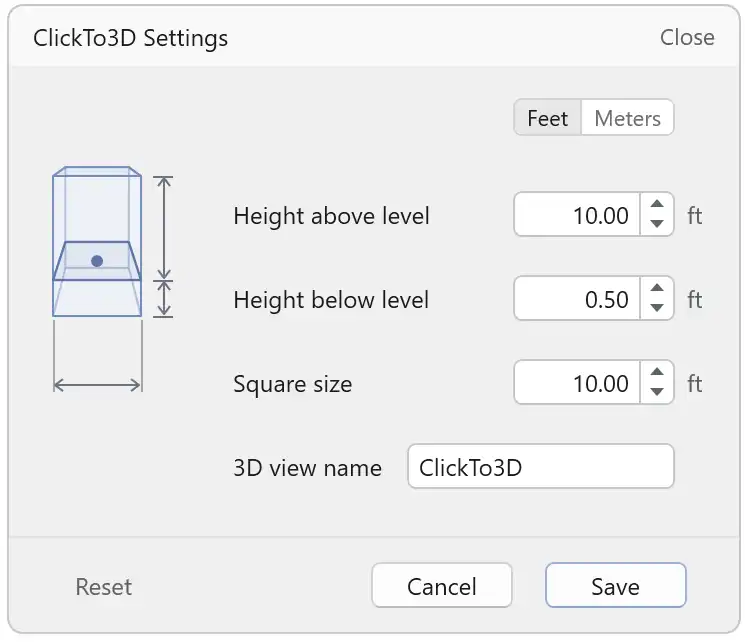
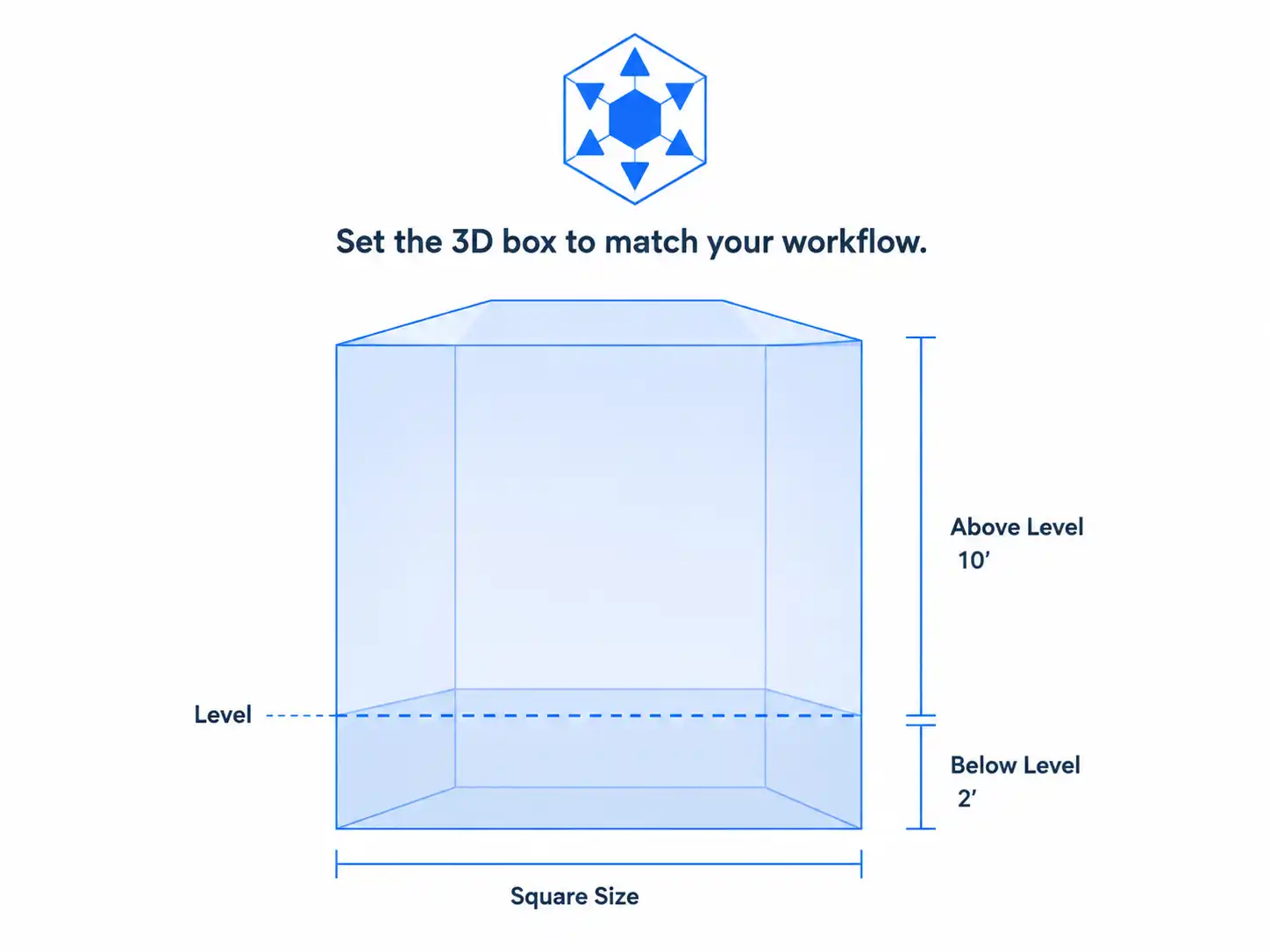
Another standout feature of ClickTo3D is its customizable settings, which cater to the unique workflows of individual users. The plugin allows you to specify the dimensions of the 3D viewing box, including its width and height above or below the plan level. Whether you prefer working in feet or meters, ClickTo3D accommodates your preferences and saves these settings for future use. This means that you won’t have to re-enter the same dimensions every time you launch the tool, making your workflow even more efficient.
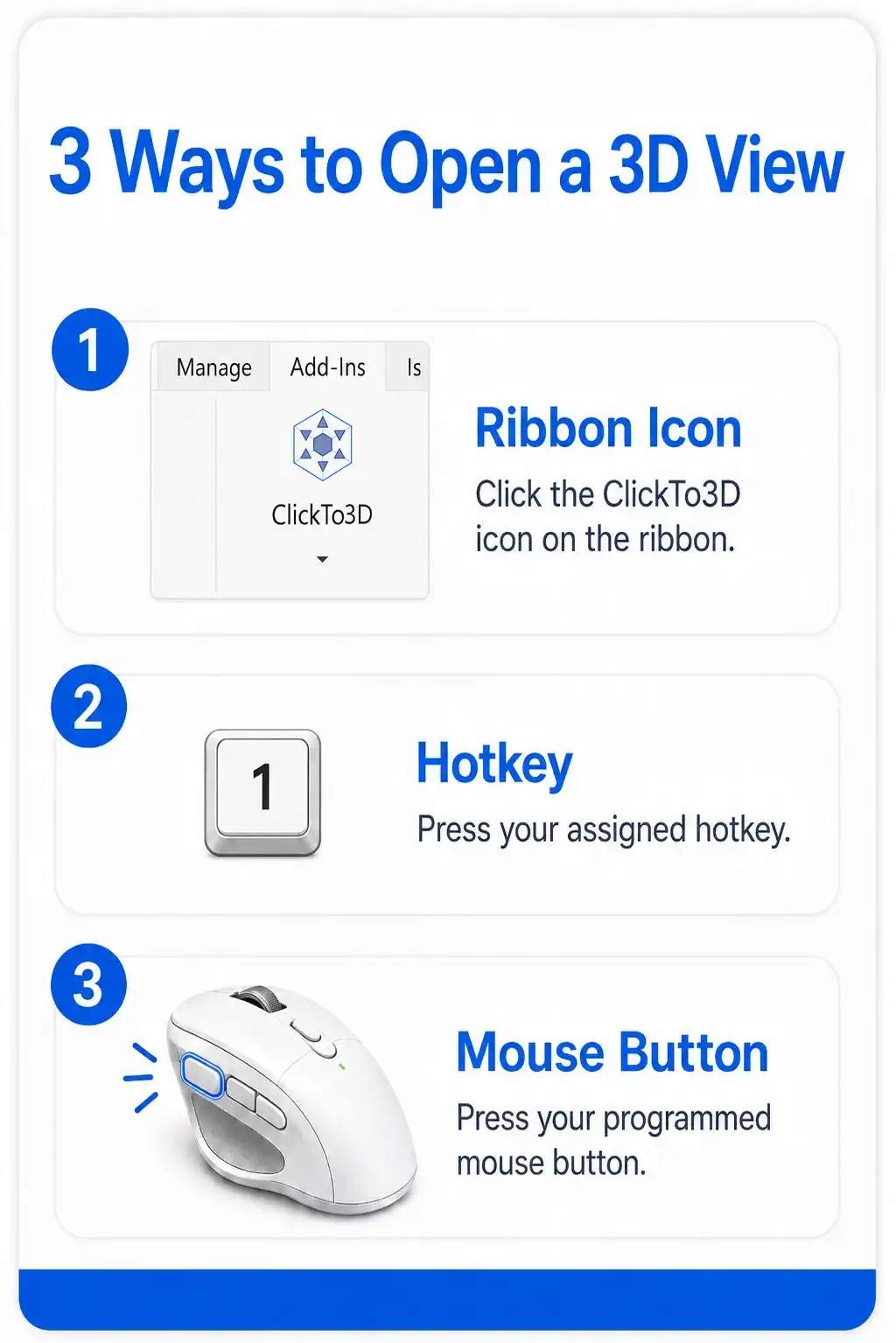
In addition to box dimensions, users can also customize the name of the 3D views generated by ClickTo3D. This feature comes in handy for organizing views and ensuring consistency in naming conventions throughout the project. Furthermore, the plugin can be launched directly from the Revit ribbon or through a keyboard shortcut, providing users with quick access to its functionalities. For those who utilize programmable mouse buttons, ClickTo3D can be easily integrated into mouse macros, allowing for a truly seamless navigation experience. This adaptability makes ClickTo3D a versatile tool that can be tailored to fit various user preferences and project requirements.
(Image by: ClickTo3D)
Efficiency in Large and Detailed Models
One of the most impressive aspects of ClickTo3D is its ability to enhance productivity when working with large or detailed Revit models. As projects grow in complexity, the ability to quickly access specific areas in 3D becomes increasingly valuable. ClickTo3D streamlines this process, enabling users to spend less time searching for locations and more time focusing on analysis and coordination. Whether you’re reviewing architectural elements, structural components, mechanical systems, or electrical layouts, ClickTo3D ensures that you can swiftly navigate to the relevant 3D locations without unnecessary delays.
Moreover, the user-friendly design of ClickTo3D minimizes the learning curve for new users. Its simple and intuitive interface allows even those who are less tech-savvy to harness the power of this plugin with ease. As a result, teams can collaborate more effectively, as everyone can quickly access shared 3D views and maintain a shared understanding of the project’s details. The time saved in navigation translates directly into improved project timelines and enhanced team productivity.
(Image by: ClickTo3D)
Conclusion: A Game Changer for Revit Users
ClickTo3D is undeniably a game changer for Revit users, offering a straightforward yet powerful solution to one of the common challenges faced in architectural design and building modeling. By providing rapid navigation from 2D to 3D views, customizable settings, and a focus on enhancing user productivity, this plugin stands out as an essential tool for professionals in the field. Users can expect to save valuable time, reduce frustration, and ultimately improve the quality of their work.
Summary
In summary, ClickTo3D is a remarkable plugin that enhances the Revit experience by simplifying navigation between 2D and 3D views. With its quick access features, customizable settings, and efficiency in large models, it allows users to focus on their work without the distraction of tedious navigation processes. Whether you are an architect, engineer, or designer, ClickTo3D provides the tools you need to streamline your workflow and improve project outcomes. If you haven’t tried ClickTo3D yet, now is the perfect time to elevate your Revit experience and discover the ease of seamless navigation.
Similar apps:
- Free
- $1.99/month
- $4.99/month
- $19.99/month
- Free
- Free